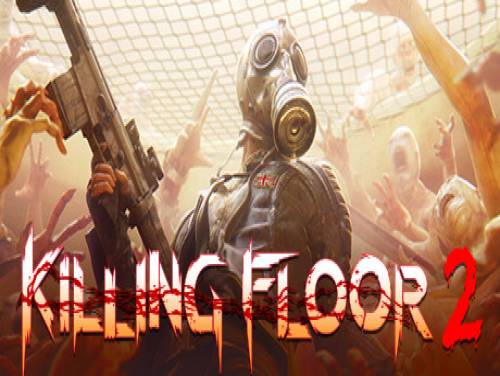
We are happy to show you the Killing Floor 2 trainer and the guide to its use!
If you know anything else relevant to the topic do not hesitate to contact us, you will make it more complete and more useful to all visitors.
For Killing Floor 2 we also have cheats available. You will find a collection of cheat codes and unlockables that will allow you to overcome any obstacle on the Killing Floor 2 cheats page.
 Killing Floor 2: Cheats and cheat codes
 6-player co-op Zed-slaughtering mayhem. And now, 12-player, Versus, Survival mode, too - now you can BE the Zeds!
And now, finally, the long-awaited trainer for this game: download it, and after reading the user guide, activate it and you will be able to use all the cheats promised while playing.
Download Trainer
Actually it is very rare to find games containing cheats because game developers are not interested at keeping them in their games. So the creation of cheats is executed by external programmers that spend their time and skills into the creation of trainers, programs that let you cheat on a particular game. They do it for passion or for money. Whatever the motivation, it's right to reward them for the time spent on their work.
Paid Cheats and Trainers are better in quality, contains more functionalities. They are maintained and supported by their developers.
Respect of the Copyright
The software you are about to download was not created by Apocanow. However, we have permission to publish and publicize by its authors Killing Floor 2: Trainer - v1075. The file you are about to download is virus free, even if sometimes your antivirus can trigger for a false positive.
Using this Trainer
Listen for "Activated".
Press desired option key
Options in Promo
Options
Numpad 2: Super Health
Numpad 3: Ammo
Numpad 4: Reload
Numpad 5: Grenade
Numpad 6: Money
Numpad 7: Flashlight
Numpad 8: Armor
Notes
heal back up.
Numpad 2: Super Health - press this key to give massive high health.
Numpad 3: Ammo - press this key and likely the current weapon will
have massive ammo.
Numpad 4: Reload - press this key and the current weapon will have
a massive clip of ammo.
Numpad 5: Grenade - press this key and the current grenade will
have many more.
Numpad 6: Money - press this key and you have mega money.
Numpad 7: Flashlight - toggle this on and when you use the flashlight
it will not run out of battery.
Numpad 8: Armor - press this key to instantly fill the armor.
Temporarily Disable Hotkeys
activated. You can use CTRL-H to re-activate the Hotkeys as well.
Creating Custom Hotkeys
to modify the Hotkey or the value used for that option. The trainer will save your hotkeys for you. To delete this trainer, press the Debug Tab and then press CTRL-K and the keys
will be deleted.
 ACRES: Endless money and endless reputation points
  World Warfare and Economics: God mode and fast deploy
  Sail Forth: Edit: max health and edit: max speed
  Soulash 2: Endless stamina and endless health
  Mining Mechs: Game speed and edit: money
  Cobalt Core: Weak enemies and game speed
  Granblue Fantasy Versus: Rising: Freeze round timer and game speed
  SeaOrama: World of Shipping: Edit: bank reputation and edit: days to repair engine
  Mind Over Magic: Endless resources and game speed
  Soulslinger: Envoy of Death: Game speed and no ability cooldowns