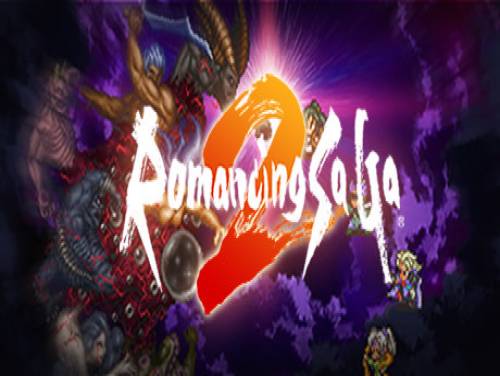
Welcome to our website. you are into the Romancing Saga 2 trainer page. Without too many premises let's describe this article!
If you have ideas to make this guide better, contact us now and we will be happy to post your things on this page.
Not only that, we can also offer you cheats and codes for this game! See the Romancing Saga 2 cheats page. You will see a selection of cheats and strategies useful to overcome any hostility the game puts in front of you.
Not only that, we can also offer you the walkthrough of this game! See the Romancing Saga 2 walkthrough of apocanow, that is a selection of YouTube videos created specifically by third-party users in order to guide all the other players towards the completion of the game.
 Romancing Saga 2: Cheats and cheat codes
 Sit on the throne of the empire of Varennes and controls several generations of monarchs in a fierce battle against the Seven Heroes.
Thank you for reading this brief introduction. Now let's show you the guide to the trainer and the button to download it.
Download Trainer
Actually it is very rare to find games containing cheats because game developers are not interested at keeping them in their games. So the creation of cheats is executed by external programmers that spend their time and skills into the creation of trainers, programs that let you cheat on a particular game. They do it for passion or for money. Whatever the motivation, it's right to reward them for the time spent on their work.
Paid Cheats and Trainers are better in quality, contains more functionalities. They are maintained and supported by their developers.
Respect of the Copyright
The software you are about to download was not created by Apocanow. However, we have permission to publish and publicize by its authors Romancing Saga 2: Trainer - ORIGINAL. The file you are about to download is virus free, even if sometimes your antivirus can trigger for a false positive.
Activating this trainer
Listen for 'Trainer Activated'.
Press desired hotkey. All hotkeys can be changed on the trainer.
Trainer Options
Numpad 2: Set HP
Numpad 3: Set LP
Numpad 4: Set MP
Numpad 5: Set AP
Numpad 6: Unlimited Combat Health
Numpad 7: Mega Money
Notes
button then select Attributes, then select a character to
look at their HP and other data, then select Back, then
select Inventory, then select a character to look at thier
inventory data, then select Back, then select Skills, then
select a character to look a their skills information, then
select Back, then press this button to lock in the
Party Data of the group. Once it is activated you can
leave it on. If the options below aren't working, toggle this
back off, repeat the steps, and try again.
Numpad 2: Set HP - make sure you have used Capture Party Data, and
then press the MENU button, then Attributes, then click
on the name of a Party member (for example, Leon) to open
thier information. Press the keys below to modify the data.
You may have to select a different character and come back
to see it has changed.
Numpad 3: Set LP - make sure you have used Capture Party Data, and
then press the MENU button, then Attributes, then click
on the name of a Party member (for example, Leon) to open
thier information. Press the keys below to modify the data.
You may have to select a different character and come back
to see it has changed.
Numpad 4: Set MP - make sure you have used Capture Party Data, and
then press the MENU button, then Attributes, then click
on the name of a Party member (for example, Leon) to open
thier information. Press the keys below to modify the data.
You may have to select a different character and come back
to see it has changed.
Numpad 5: Set AP - make sure you have used Capture Party Data, and
then press the MENU button, then Attributes, then click
on the name of a Party member (for example, Leon) to open
thier information. Press the keys below to modify the data.
You may have to select a different character and come back
to see it has changed.
Numpad 6: Unlimited Combat Health - while in combat, toggle this on
and the game will try to keep your party members all alive.
The HP shown is not the actual HP but will generally be enough
to protect you from most attacks.
Numpad 7: Mega Money - to use this, press the MENU button to enter
the menu. Note the value of the money. Press this option
key to enable the option. Click Attributes, then click
a party member's name (for example, Leon) to look at his
data, then click Back, and notice the money value has changed.
Toggle the option back OFF, then leave the MENU then come back
and the value shown in the trainer should be the new value
of the money.
Mute Hotkeys:
activated. You can use CTRL-H to re-activate the Hotkeys as well.
You can also mute specific hotkeys by changing the hotkey you want
to mute to 'NONE'.
 ACRES: Endless money and endless reputation points
  World Warfare and Economics: God mode and fast deploy
  Sail Forth: Edit: max health and edit: max speed
  Soulash 2: Endless stamina and endless health
  Mining Mechs: Game speed and edit: money
  Cobalt Core: Weak enemies and game speed
  Granblue Fantasy Versus: Rising: Freeze round timer and game speed
  SeaOrama: World of Shipping: Edit: bank reputation and edit: days to repair engine
  Mind Over Magic: Endless resources and game speed
  Soulslinger: Envoy of Death: Game speed and no ability cooldowns