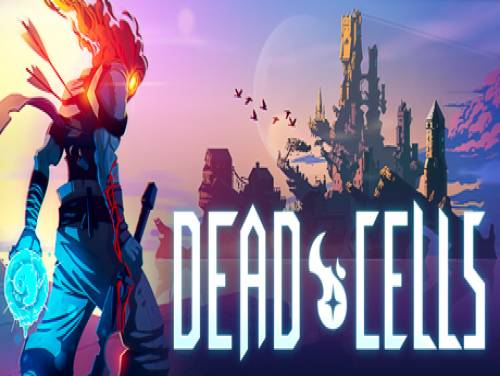
Welcome to the article regarding the trainer of Dead Cells. On this page you will also find a guide that will allow you to activate all the cheats connected to this trainer.
Are you able to improve this guide? We would be really happy to know how, so we can create a better article, updating it with your advices.
Together with the trainer we can also provide you with cheats for this game. Enter into the Dead Cells cheats page and you will find all the cheats and unlockables to easily finish the game and, often, even a small guide to the collectibles of the game.
Together with the trainer we can also provide you with the walkthrough of this game in the form of a video guide. Enter into the Dead Cells walkthrough page and you will be able to find a step by step guide to finish the game and to discover some game secrets.
 Dead Cells: Cheats and cheat codes
 Dead Cells is a roguelike game in the style of platforming action. Exploring a castle is always different, always if you are able to survive. There are no control points. Kill, die, learn, repeat.
Let's move on to show you the trainer after the introduction we just wrote in. Before downloading it, consult the user guide to make sure you aren't going to make mistakes.
Download Trainer
Actually it is very rare to find games containing cheats because game developers are not interested at keeping them in their games. So the creation of cheats is executed by external programmers that spend their time and skills into the creation of trainers, programs that let you cheat on a particular game. They do it for passion or for money. Whatever the motivation, it's right to reward them for the time spent on their work.
Paid Cheats and Trainers are better in quality, contains more functionalities. They are maintained and supported by their developers.
Respect of the Copyright
The software you are about to download was not created by Apocanow. However, we have permission to publish and publicize by its authors Dead Cells: Trainer - 2018-08-03. The file you are about to download is virus free, even if sometimes your antivirus can trigger for a false positive.
Opzioni Trainer
NumPad2: Unlimited Bow Ammo
NumPad3: Instant Skill Cooldown
NumPad4: Change Gold By 500
NumPad5: Change Crystals By 20
NumPad6: Infinite Health (Alternative)
NumPad7: Freeze Timer
NumPad8: Change Timer By 30
NumPad9: Super Jump
Editor Options
Crystals
Timer
Notes
ingame where you can move around. Press F1 and listen for 'Trainer activated'.
All options except health needs to be 'pre-activated' as well.
Unlimited Bow Ammo:
If pressed for first time wait for 'Activated' sound. It may be required that
you own a bow and have shot at least once or you will hear an error sound.
Instant Skill Cooldown:
If pressed for first time wait for 'Activated' sound. It may be required that
you have used a skill once or you will hear an error sound.
Change Gold / Crystals:
Before using this option collect gold / crystals first.
Press hotkey and listen for 'Activated' sound. Now collect some gold / crystal.
You will need to collect gold / crystals again before the value ingame gets updated.
Infinite Health (Alternative):
The first health cheat sets your health to your maximum health.
If you prefer a very high amount instead use the alternative version.
You cannot have both health options active at the same time.
Timer:
Before using this option make sure the timer ingame is running. Press hotkey
and listen for 'Activated' sound. Then press hotkey again to toggle the desired
effect.
Mute Hotkeys:
activated. You can use CTRL-H to re-activate the Hotkeys as well.
You can also mute specific hotkeys by changing the hotkey you want to mute to 'NONE'.
VR Mode
Click on the 'VR Mode' button. Trainer options will now be drawn as buttons. Activate the trainer as usual with your keyboard. Put your HTC Vive on and when you are ingame press the 'Menu' button on the hand controllers to open the steam overlay. At the bottom you can click on the 'Desktop' button and you can easily press options on the trainer with your hand controller now.
- Oculus Rift
The oculus rift does not have a desktop mode as of now. You have to use the keyboard or controller hotkeys instead.
 ACRES: Endless money and endless reputation points
  World Warfare and Economics: God mode and fast deploy
  Sail Forth: Edit: max health and edit: max speed
  Soulash 2: Endless stamina and endless health
  Mining Mechs: Game speed and edit: money
  Cobalt Core: Weak enemies and game speed
  Granblue Fantasy Versus: Rising: Freeze round timer and game speed
  SeaOrama: World of Shipping: Edit: bank reputation and edit: days to repair engine
  Mind Over Magic: Endless resources and game speed
  Soulslinger: Envoy of Death: Game speed and no ability cooldowns